
For speech therapy families
A speech therapy progress tracker for parents
Speech often changes in small steps: a new sound, a two-word phrase, a request made without pointing. Pravnya is a speech therapy progress tracker that helps you notice those steps, keep them in one place, and share them with your child's speech therapist.
Free to start · No credit card · Private by design
"Is speech therapy working?"
Almost every parent asks this at some point. Sessions are short, progress can be uneven, and a good week can be followed by a quiet one. When your child has a speech delay, it's natural to want to know whether things are moving.
The honest answer usually comes from looking back over weeks and months, not days. That is hard to do from memory alone. A simple record of what you see at home and what the therapist shares makes the pattern easier to spot, and gives you something concrete to talk through together.
Small signs worth writing down
You don't need clinical terms. Plain notes are enough, and they help your child's speech therapist understand life outside the therapy room.
- A new word, sound or phrase, and where it happened
- Whether your child needed a prompt or said it on their own
- How they responded: keen, frustrated, playful, tired
- Something practised in therapy that showed up at home
When therapy happens at a centre
Many children in India and the UAE attend speech therapy at a centre, sometimes alongside occupational therapy or a special educator. Each therapist may keep their own notes. Having your own record, organised by goal, helps you connect what happens in sessions with what you see at home.
How Pravnya helps
One place for what happens in therapy and at home.
Step 1
Log in the way that suits you
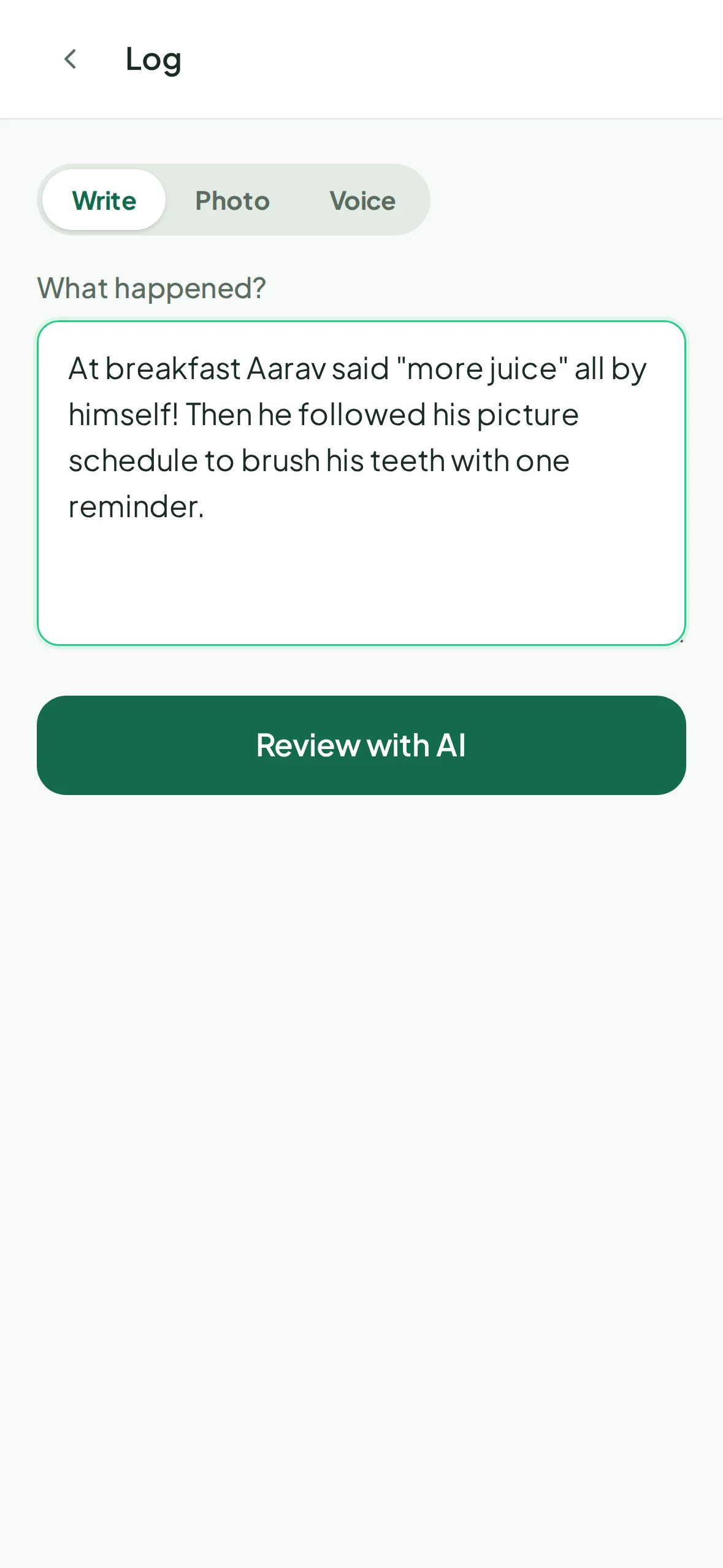
After a session or a moment at home, write a note, take a photo of the therapist's handwritten note, or record a voice note. It takes a minute.
Step 2
Review what Pravnya suggests
Pravnya's AI matches your note to your child's speech goals and proposes entries: how it went, how much help was needed and how your child responded. Each suggestion shows what it's based on and how confident it is. Untick anything wrong. Nothing is saved until you approve.
Step 3
See the trend for each goal
Growth compares each goal only with your child's own history. Plain words like "Getting stronger" or "Still building", a coloured bar for the last five tries, and milestones such as a first success or a skill showing up at home.
Step 4
Bring the record to your therapist
Invite your child's speech therapist to the care team by email, or simply open Pravnya at your next session. Questions about therapy itself are best answered by them.
Your child's record is never sold or used to train AI, and you decide who sees it. Read our privacy promise
Questions
What parents ask.
Pravnya doesn't assess your child. It shows what you and the care team have recorded, organised by goal and over time. That record can help you have a clearer conversation with your child's speech therapist, who is best placed to answer.
No. Growth only compares each goal with your own child's earlier entries. There are no charts against other children or age averages.
Yes. Take a photo of a handwritten or printed note or worksheet. Pravnya reads it and proposes entries for you to check before anything is saved.
Pravnya launched in India and is also used by families in the UAE. It works in any web browser, and there's an Android app on Google Play. It's free to start.