
After every session
Therapy session notes for parents, in one place
Therapy session notes for parents are often scattered: a scribbled page from the therapist, a message on the phone, something you meant to remember. Pravnya is a therapy notes app that turns those bits into a tidy record, organised by your child's goals.
Free to start · No credit card · Private by design
Notes go missing between sessions
Some therapists write a short note at the end of each session. Others share updates verbally at the door while you're putting shoes on. Either way, it's easy for the details to slip away by the next week.
If your child sees more than one therapist, the notes multiply. Speech, occupational therapy, a special educator: each has their own way of writing things down. Months later, finding what was said about one goal can mean digging through notebooks and chats.
What to write after a therapy session
A good parent note is short. It doesn't need to be perfect or use the right terms.
- What your child worked on today
- What went well and what was tricky
- How much help they needed
- Anything the therapist suggested trying at home
Why a single record helps
When notes live together, patterns become easier to see. You can scroll back to a goal and read what happened over the past few weeks, rather than relying on memory. It also helps when you change centres, start with a new therapist, or prepare for a school review.
Your notes don't replace the therapist's own records. They sit alongside them, from your side of the table, and help you ask better questions at the next session.
How Pravnya helps
One place for what happens in therapy and at home.
Step 1
Capture the note your way
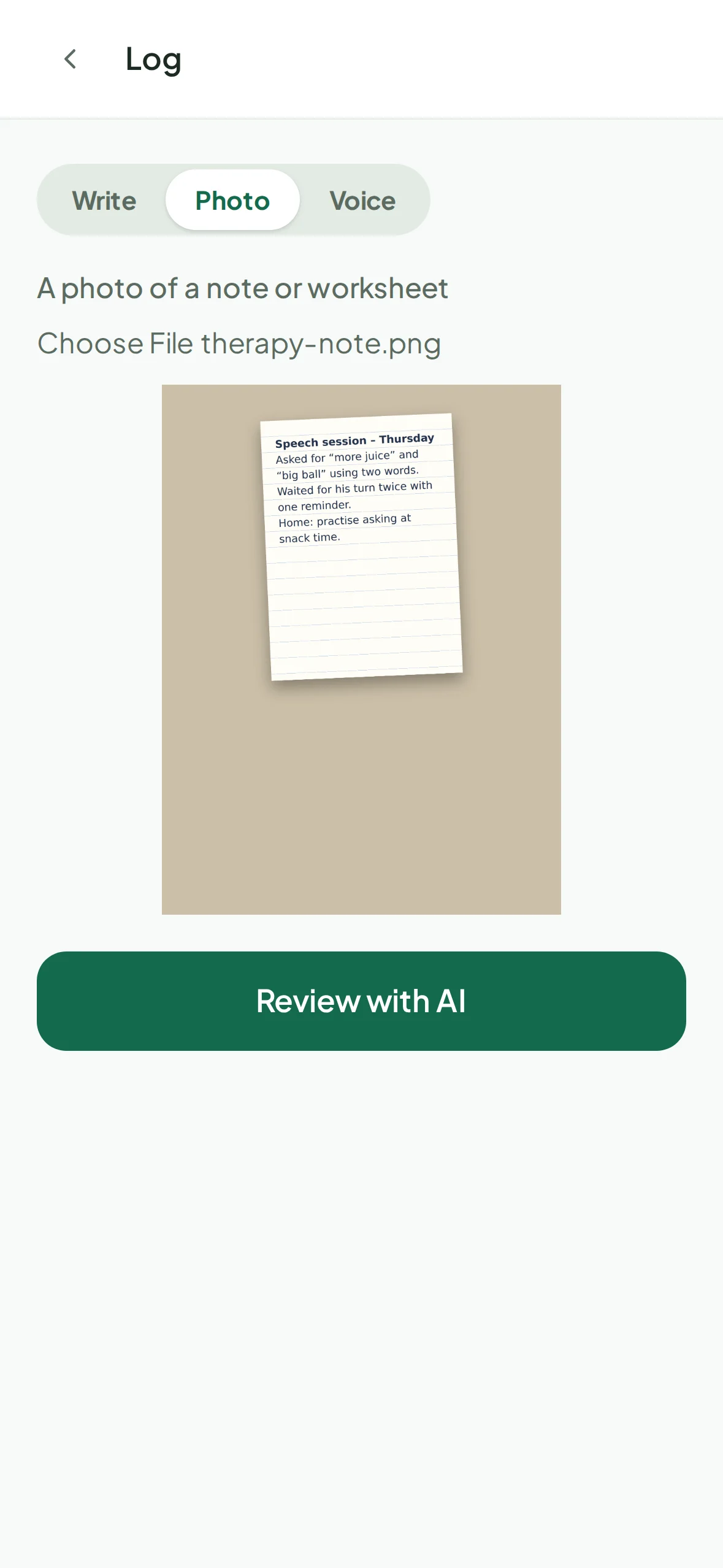
Tap the camera button on Home. Write a note, take a photo of a handwritten or printed note or worksheet, or record a voice note on the way home.
Step 2
Let Pravnya sort it by goal
Pravnya's AI matches the note to your child's existing goals and proposes entries: which goal, how it went, how much help was needed and how your child responded. Each suggestion shows what it's based on and how confident it is.
Step 3
Approve what's right
Untick anything that doesn't fit. Nothing is saved until you approve it, so the record stays accurate.
Step 4
Get a reminder after sessions
Add your child's weekly therapy slots, and Home offers to help you log after each session. You can also invite therapists to the care team by email.
Your child's record is never sold or used to train AI, and you decide who sees it. Read our privacy promise
Questions
What parents ask.
Just untick that suggestion before you approve. Nothing is saved until you do. You can also open any goal and log an entry by hand.
No. You can keep notes on your own. If you'd like, invite a therapist to the care team by email; you can resend or cancel invites and remove anyone at any time.
Yes. Your data is never sold and never used to train AI models. You decide who is on the care team, and you can delete your account.
No. Pravnya organises what you and the care team record. It isn't a medical or diagnostic tool. For clinical questions, talk to your child's therapist or doctor.
Yes. There's an Android app on Google Play, and the web app works in any browser. Pravnya launched in India and is also used by families in the UAE.